PSU Upgrade Guide: How to Know If You Need More Power
By WhatToUpgrade editorial team
As an Amazon Associate we earn from qualifying purchases. Links open Amazon.com (US); check the exact variant, seller, current price and compatibility before buying.
How we make recommendations and check specificationsIf you’re planning a GPU or CPU upgrade, you’ll eventually ask the same question: do I need a PSU upgrade too? It’s a fair concern—an underpowered or low-quality PSU can cause shutdowns, instability, or (in worst cases) damage other components.
But wattage calculators and PSU marketing often push you toward far more power than you’ll ever use. Most single-GPU gaming PCs draw much less power in real gameplay than people assume.
This guide helps you size a PSU correctly, prioritize quality, and upgrade safely without overspending.
Do you actually need a PSU upgrade?
Most people only need a PSU upgrade in a few situations: their current unit is low quality, it’s old, they’re adding a much higher-power GPU/CPU, or they’re experiencing shutdowns under load.
- Random shutdowns or restarts during gaming/stress tests
- Upgrading to a GPU that draws ~100W+ more than your current one
- PSU is 7+ years old (reliability becomes the issue)
- No-name/generic PSU with poor protections or no 80 Plus rating
Quality matters more than wattage. A reputable 650W unit can be safer than a sketchy 850W unit.
How much wattage do you really need?
Ignore “worst case” calculator numbers. Use a realistic approach: GPU gaming draw + CPU gaming draw + ~100W for everything else, then add headroom.
- Find real GPU gaming power (measured reviews, not marketing TDP)
- Estimate CPU gaming draw (usually far less than max all-core power)
- Add ~100W for motherboard, RAM, drives, fans, and peripherals
- Add 40–60% headroom for spikes and efficiency
A quality 650W PSU covers most single-GPU gaming builds. 750W+ is mainly for higher-end GPUs (or heavy productivity loads).
80 Plus ratings: what efficiency means (and what it doesn’t)
80 Plus ratings describe efficiency—how much power is wasted as heat—not overall build quality. Gold is nice, but Bronze from a reputable line is often perfectly fine for gaming PCs.
- Bronze: good budget choice for most builds
- Gold: common sweet spot for quieter, higher-quality units
- Platinum/Titanium: niche; rarely worth it for typical gaming
Higher efficiency doesn’t automatically mean higher quality. Always check the specific model/series.
Modular vs non-modular: what to buy
Modularity is about cable management, not performance. Semi-modular often hits the best value point.
- Non-modular: cheapest, more cable clutter
- Semi-modular: best value for many builds
- Fully modular: cleanest builds, helpful in small cases
PSU quality tiers: what to look for
Look for protections (OCP/OVP/OTP), a long warranty, and reputable reviews. The same brand can have both excellent and mediocre lines—model matters.
- Prefer well-reviewed series from reputable brands (Corsair, Seasonic, EVGA, be quiet!, etc.)
- Aim for at least a 5-year warranty (7–10 is common on better units)
- Avoid generic units with vague specs or no certification
Never buy a PSU solely by wattage. Buy a good model at the wattage you actually need.
Common PSU upgrade mistakes (and how to avoid them)
- Overbuying wattage and underbuying quality
- Reusing old PSU cables (dangerous—cables are not universal)
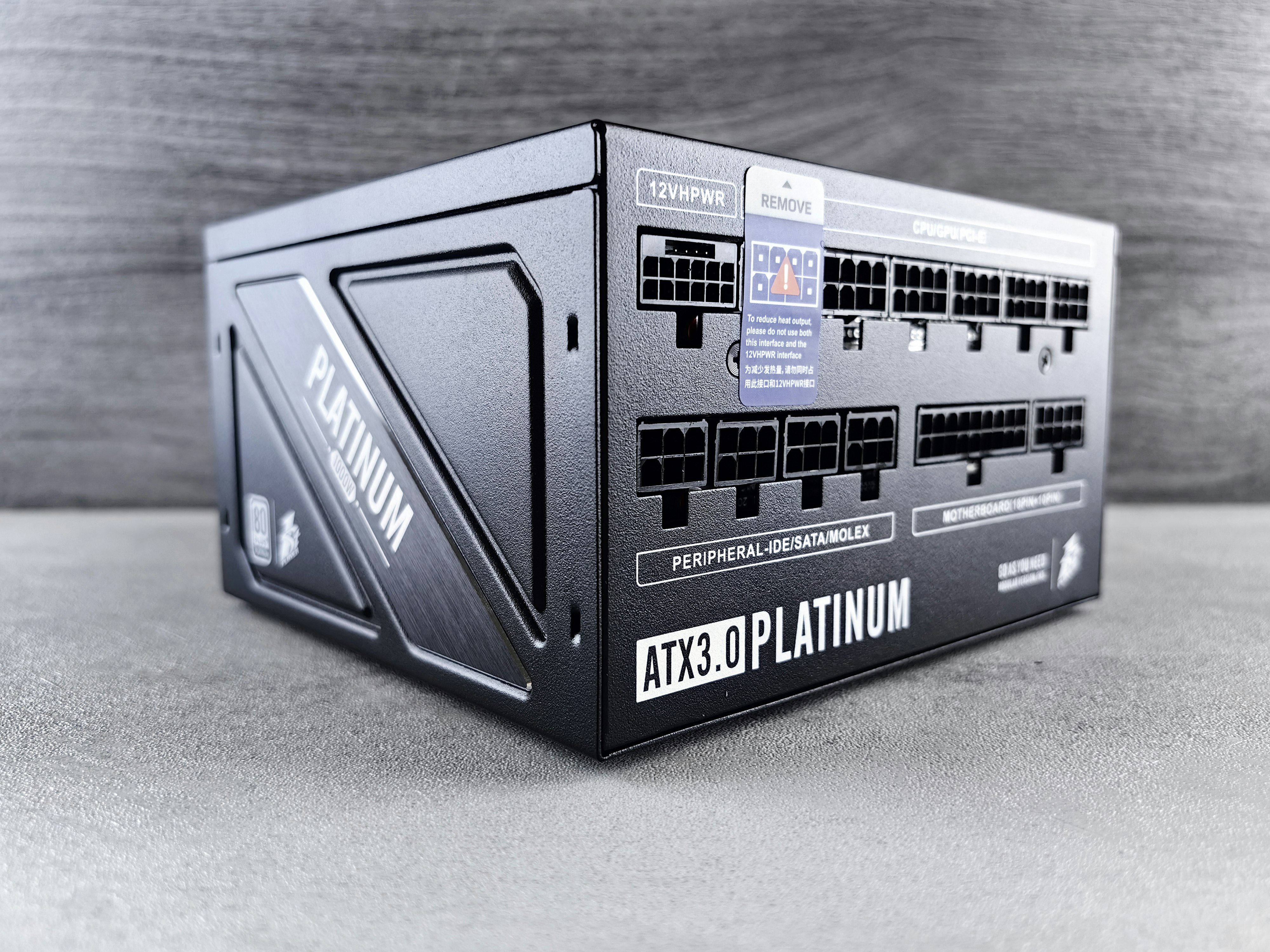
- Ignoring GPU connector needs (enough PCIe connectors, 12VHPWR requirements)
- Buying a PSU that doesn’t fit your case (check length clearance)
Do not reuse modular cables from your old PSU—even if it’s the same brand. Wrong pinouts can damage components.
How to install a new PSU safely
Take photos before you unplug anything and label cables if needed. Use only the cables that come with the new PSU.
- Power off and unplug the PC
- Disconnect old PSU cables (24-pin, CPU 8-pin, GPU power, SATA)
- Remove PSU and install the new one (confirm fan orientation)
- Use only the new PSU’s cables
- Connect: 24-pin motherboard, CPU 8-pin, GPU power, then drives
- Double-check connections before first boot
If you’re unsure, do a minimal boot test (motherboard + CPU + one drive) before full cable management.
Verdict
Most gamers don’t need to replace their PSU as often as they think. If your current PSU is a quality unit and you’re not seeing shutdowns under load, a PSU upgrade may be unnecessary—even with many GPU upgrades. When you do upgrade, prioritize model quality, protections, and warranty over chasing huge wattage numbers. Next step: use the Analyzer to estimate your build’s real power needs and get PSU recommendations that match your upgrade plans.
Frequently Asked Questions
How do I know what wattage PSU I have?▸
Check the label on the PSU inside your case (you may need to remove a side panel). The wattage is usually printed clearly (e.g., 550W, 650W).
Can a PSU be “too powerful” for my PC?▸
No—your PC only draws what it needs. The downsides are higher cost and sometimes slightly lower efficiency at very low loads, not hardware damage.
Will a PSU upgrade increase FPS?▸
Not directly. A PSU upgrade improves stability and reliability. It only “helps performance” if your old PSU was causing shutdowns or throttling due to power issues.
My GPU needs more connectors than my PSU has—what now?▸
Choose a PSU with enough native PCIe connectors for your GPU. Avoid risky splitter solutions for higher-power cards.
Should I upgrade PSU before installing a new GPU?▸
If you know your current PSU is low quality, very old, or below the recommended wattage for your planned GPU, yes—upgrade first.
How long do PSUs last?▸
Good PSUs often last 7–10 years. Heat and heavy load shorten lifespan. If your unit is old, replacement can be a reliability upgrade.
Can I test if my PSU is failing?▸
Signs include shutdowns under load, failure to boot, unusual buzzing/clicking, or electrical smells. The best test is swapping in a known-good PSU.
Do I need a PSU upgrade for an RTX 4060?▸
Usually not. The RTX 4060 is efficient. A quality 550W PSU is typically enough unless you have an unusually power-hungry CPU.
Single-rail vs multi-rail: does it matter?▸
For most gaming PCs, either works. Single-rail is simpler; multi-rail can add extra overcurrent protection. Quality matters more than rail design.
Why is my PSU fan loud all the time?▸
It can indicate heat, dust, a cheap fan, or an undersized PSU working hard. Clean dust first; if noise persists and the PSU is old/low quality, consider replacement.
High-quality, quiet, modular PSU option for many modern GPU upgrades
Good headroom for many builds
Great value quality PSU for most single-GPU gaming PCs
Sweet spot wattage
Budget-friendly option from a known brand for mainstream builds
Good budget pick
Premium option for higher-power GPUs or extra future headroom
For higher-end builds
Improve cable routing and aesthetics without swapping PSU cable pinouts
For cleaner builds
Related guides
Estimate real power needs based on your CPU/GPU and get PSU recommendations
Make sure you’re upgrading the right part before worrying about power requirements
Confirm whether you’re CPU- or GPU-limited before planning upgrades that affect power draw
A RAM upgrade rarely increases power draw much, but it can fix stutter and stability issues